How PDF Purchase Orders Were Automated for a ₹60Cr Manufacturer
How PDF Purchase Orders Were Automated for a ₹60Cr Manufacturer
At 9:14am on a Tuesday, the system flagged an incoming purchase order from a large enterprise buyer as a duplicate. The PO had arrived in two separate emails over 48 hours — sent by different procurement contacts, both for the same batch of stainless steel flanges, same quantities, same delivery window. Under the old system, a staff member would have read both, entered both into Tally, and allocated raw material stock twice. The first sign of the error would have been an inventory shortfall two weeks later.
The client is a Jaipur-based precision manufacturer serving enterprise buyers in India and overseas. At roughly ₹60Cr annual revenue, their team handled a steady flow of purchase orders across a demanding customer base. Every one of those orders arrived as a PDF in a shared Gmail inbox. Every one of those PDFs was read and entered into Tally by hand. This is the build log for the system built to replace that process.
The Problem: PDFs in Gmail, Nobody Watching
The procurement workflow before the build: emails arrive in a shared Gmail inbox. A staff member opens each attachment — usually a PDF, sometimes a scanned image — reads out part numbers, quantities, delivery deadlines, and supplier codes, then keys everything into Tally. On a slow day this takes 90 minutes. On heavier order days, it runs to 3–4 hours. The inbox has no workflow state — no "processed" flag, no queue, no audit trail outside of Tally itself. If the same PO arrived twice, the team would know only by accident.
- Duplicate orders: No detection mechanism — two contacts at the same enterprise client could send the same PO independently, and neither Gmail nor Tally would flag it. The client's procurement team had no way of knowing this was happening.
- No operational visibility: Knowing which orders were due the following week required opening Tally and manually cross-referencing entries. There was no dashboard, no queue view, no way to see the week's workload at a glance.
- Manual raw material calculations: Once a PO was entered, a separate calculation was done by hand — pulling part specs from the PDF and checking against current stock — a slow process that introduced a second point of human error.
What Was Built: A 4-Stage Pipeline
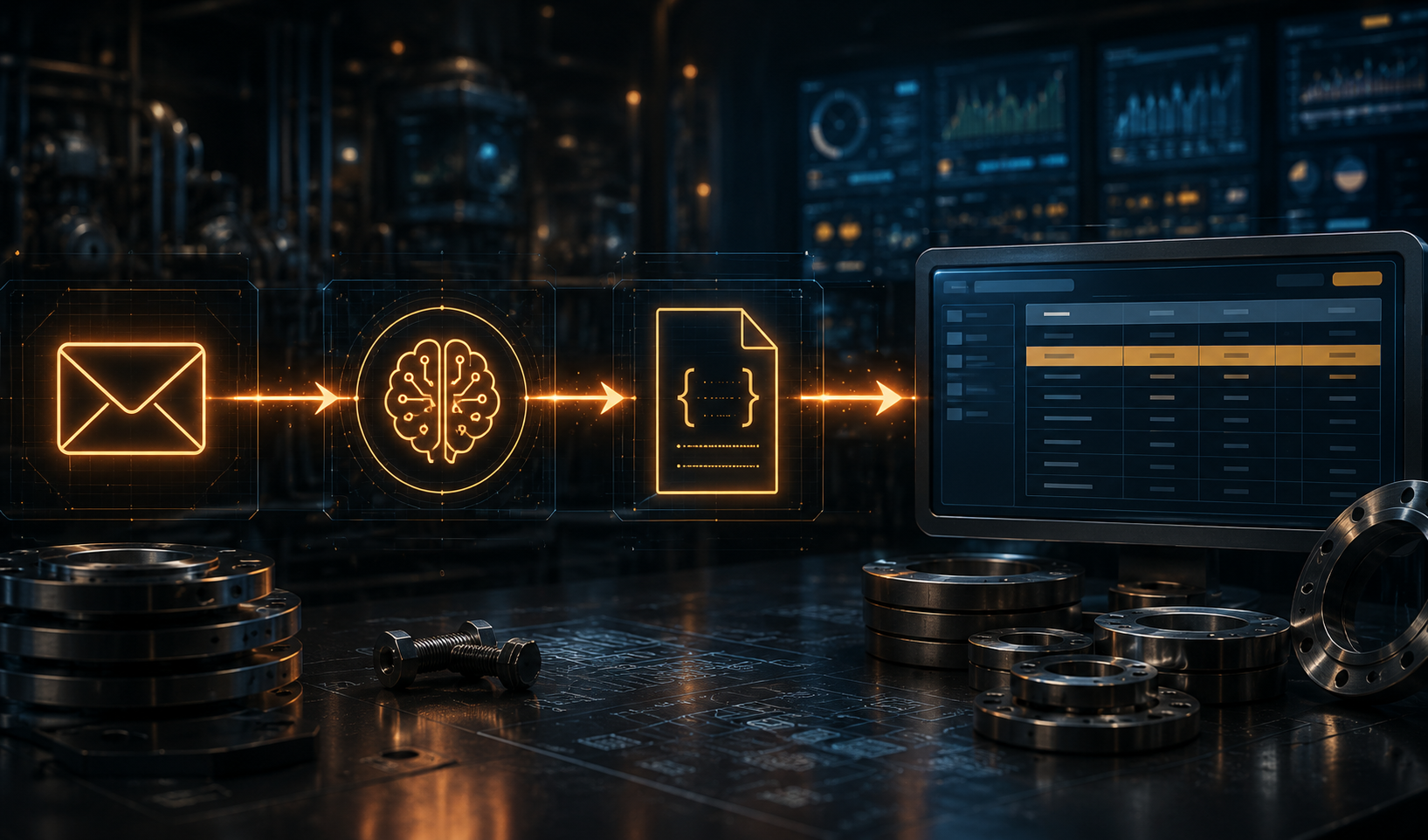
The system has four stages. Each one was a discrete engineering decision with its own tradeoffs, and one of them needed a reset after the first attempt.
- Gmail API with push notifications: Instead of polling the inbox every few minutes, the build registered a Pub/Sub topic with Google Cloud that triggers a webhook within seconds of a new email arriving. See the Gmail push notifications documentation — the setup is more involved than polling but the operational difference is significant. The pipeline processes a new PO before the staff member would have even opened the email.
- OpenAI GPT-4 with structured outputs: The pipeline sends the PDF (either extracted text or image, depending on format) to GPT-4 with an explicit JSON schema — PO number, line items array with part codes and quantities, delivery date, supplier name and contact. The model returns structured data directly. No post-processing regex, no field-position mapping, no template maintenance. See OpenAI's structured outputs guide for the implementation pattern.
- Tally API via TDL XML: The structured JSON becomes a Tally-compliant XML purchase voucher that's posted to Tally's local HTTP server on port 9000. Tally processes it, returns an acknowledgement, and the order appears in Tally as if it was entered manually — including triggering stock level calculations against current inventory.
The Stack and Why
FastAPI and React for the application layer — FastAPI gave the pipeline a clean Python backend for document processing and integrations, while React kept the dashboard responsive for the operations team. PostgreSQL stores order history and powers duplicate detection; every incoming PO is stored with a normalised fingerprint of its line items, which is what caught the duplicate above.
The Tally API is worth a separate note. The official documentation is sparse to the point of being unhelpful. What actually works: generating TDL XML vouchers and posting to Tally Prime's local HTTP server, which you enable under Gateway of Tally → F12 → Advanced Config → Enable ODBC/HTTP Server. A minimal purchase voucher payload looks like this:
<ENVELOPE>
  <HEADER>
    <TALLYREQUEST>Import Data</TALLYREQUEST>
  </HEADER>
  <BODY>
    <IMPORTDATA>
      <REQUESTDESC>
        <REPORTNAME>Vouchers</REPORTNAME>
        <STATICVARIABLES>
          <SVCURRENTCOMPANY>[Company Name]</SVCURRENTCOMPANY>
        </STATICVARIABLES>
      </REQUESTDESC>
      <REQUESTDATA>
        <TALLYMESSAGE xmlns:UDF="TallyUDF">
          <VOUCHER VCHTYPE="Purchase" ACTION="Create">
            <DATE>[YYYYMMDD]</DATE>
            <VOUCHERTYPENAME>Purchase</VOUCHERTYPENAME>
            <PARTYLEDGERNAME>[Supplier Name]</PARTYLEDGERNAME>
            <ALLLEDGERENTRIES.LIST>
              <LEDGERNAME>[Ledger]</LEDGERNAME>
              <AMOUNT>[Amount]</AMOUNT>
            </ALLLEDGERENTRIES.LIST>
          </VOUCHER>
        </TALLYMESSAGE>
      </REQUESTDATA>
    </IMPORTDATA>
  </BODY>
</ENVELOPE>
The most useful reference was the Tally Developer Network forum — specifically threads on purchase voucher XML structure. Getting the first working example took three days. After that, extending it to line items and stock entries was straightforward. Framer Motion supported the dashboard interactions: the operations team needed to see order status update live, and the perceived responsiveness mattered for buy-in from a team that was sceptical of the new system.
The Admin Dashboard
The dashboard has three panels, each driven from the same PostgreSQL store that the pipeline writes to.
The Orders panel shows every incoming PO in chronological order: status (Pending / Entered / Duplicate / Error), supplier name, part count, delivery deadline, and PO number. Duplicate orders turn the row red and block Tally entry until a human approves or dismisses. This panel replaced the shared inbox as the team's primary view of incoming work — which was the actual goal, not just the automation.
The Tally panel pulls revenue trends, payment status, and outstanding receivables from Tally directly via the same HTTP server. The operations lead now has a live financial summary without opening Tally. The Operations panel handles downstream work: dispatch note generation, QA checklists, production milestone tracking — all driven from the same order data that entered via the pipeline.
What Needed a Reset First
The first extraction approach used pdf-parse plus a regex pipeline. A sample of enterprise purchase orders was mapped by field position, with the assumption that the format was stable enough to maintain.
It wasn't. Enterprise buyers often use different PO templates depending on procurement category — capital equipment, consumables, and services can all have different layouts. Other customers used different table structures entirely. Some overseas orders arrived as scanned PDFs — no embedded text, just image layers — which the regex pipeline couldn't touch.
The regex pipeline correctly extracted data from roughly 60% of incoming POs. The other 40% either failed with an error (best case) or silently extracted wrong values (worst case). The silent failures were caught only after a part number transposition went through unchecked — a batch was machined to an incorrect spec before the error surfaced in a QA check. That was the moment the client agreed to switch approaches without a drawn-out approval process.
The system switched to GPT-4 with structured outputs. The extraction prompt defines the exact JSON schema required. For text-based PDFs, the pipeline passes extracted text. For scanned PDFs, it passes the PDF pages through the vision endpoint. Both paths converge on the same structured JSON before the Tally import step. Accuracy went from 60% to above 98% on a validation set of historical purchase orders that had already been entered manually and could be verified field by field.
Three Takeaways
If your team processes PDFs manually every week, LLM extraction can pay for itself quickly. GPT-4 costs a small amount per PDF to extract. For a manufacturing team with regular PO volume, the API cost stays modest while the staff time it replaces is far more expensive. The case for automation here is not about AI being impressive. It's about the hourly rate math being obvious once you write it down.
The Tally API is not as difficult as its reputation suggests, but don't start with the official docs. The TDL XML import via Tally's local HTTP server is the correct pattern. Enable it in F12 settings, generate a well-formed purchase voucher XML, POST it to port 9000, parse the ACK. Once you have one working voucher — which you will find on the Tally Developer Network forum — the rest is extension work. The difficult part was not the API; it was getting the first example that actually compiled and returned a success response.
Gmail push notifications beat polling by more than the latency difference. Switching from a 5-minute polling loop to Pub/Sub push changed how the team thought about the system. An order that appears in the dashboard 30 seconds after arrival is a live operational tool. An order that appears 4 minutes later is a report. The technical difference is small. The behavioural shift — from checking a screen periodically to trusting it — is what determines whether a team actually adopts the system.
Flux8Labs Can Build This for Your Business
If PDFs are arriving in a Gmail inbox and humans are keying them into Tally — or any ERP — this is a solvable problem. The core pipeline (Gmail API + LLM extraction + Tally integration) is repeatable across manufacturing, distribution, and logistics businesses that run on similar document workflows. This system went from first conversation to live deployment in six weeks.
For more on Flux8Labs' work across AI automation, web, and product systems, start with the services page. To talk through a specific problem, reach out at contact.
Frequently Asked Questions (FAQ)
-
Q1: Does this work with any version of Tally? The system was built and tested against Tally Prime. The TDL XML import approach also works with Tally ERP 9. The key requirement is enabling Tally's local HTTP server: Gateway of Tally → F12 → Advanced Configuration → Enable ODBC/HTTP Server. Without this, the pipeline has no endpoint to POST to.
-
Q2: Can the system handle scanned PDFs? Yes. Scanned PDFs (image-only, no embedded text) are routed through GPT-4 Vision. Text-based PDFs go through a faster text-extraction path. Both paths converge on the same structured JSON output before the Tally import step, so the downstream pipeline doesn't distinguish between them.
-
Q3: What happens when the AI extracts incorrect data? Every extracted PO goes through a confidence check and a human review queue for anything flagged as uncertain — unusual formats, missing mandatory fields, or values outside expected ranges. Tally import is blocked until a human approves the extracted data. The system surfaces errors before they enter Tally, which is the opposite of what was happening with the old manual process.