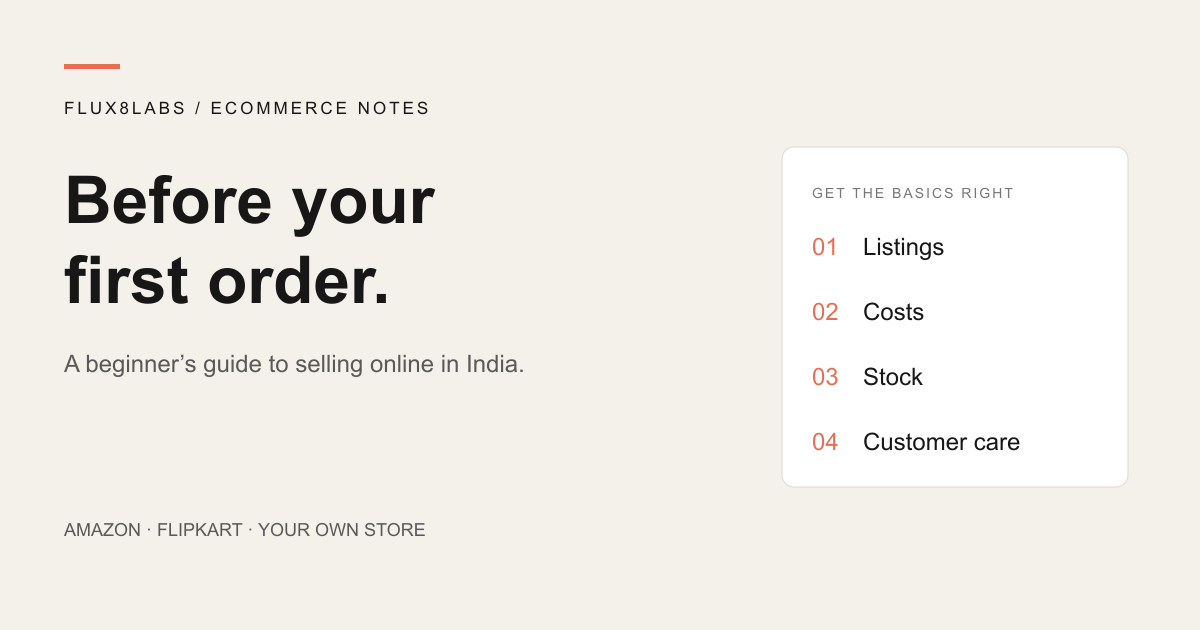
You have a product, a supplier and a name for the business. The next step seems obvious: upload a few photos and start selling.
Before you do, answer a less exciting question: what happens after someone places an order? You need the right item in stock, a parcel that survives delivery, and enough money left after the costs. You also need a listing that tells the buyer exactly what will arrive.
This guide brings together official Amazon India, Flipkart and Google guidance. Platform facts have source links beside them. The working examples and launch plan are our suggestions, not marketplace rules or promised results.
1. Pricing without checking the full costs
“I bought it for ₹400 and sold it for ₹700” doesn't tell you the profit. Packaging, delivery, platform charges and advertising still have to be paid.
Amazon lists referral, closing, weight handling and other applicable fees. Its public page also records a closing fee update effective 7 September 2026. Use the current calculator and the category details for your product. A zero referral fee does not make the entire order free to process. Source: Amazon India fees and pricing.
Flipkart lists fixed, commission, collection and shipping fees. It says actual charges depend on factors including category, price and fulfilment, and directs sellers to their account for current rates. Measure the packed parcel: its fee page considers actual or volumetric weight, whichever is higher. Source: Flipkart fees and commission.
Keep a cost sheet for each SKU, your internal code for a particular item or variant. Here is a simplified planning example. These are invented amounts to explain the calculation, not Amazon or Flipkart rates.
| Item | Amount |
|---|---|
| Revenue after discounts and sales tax | ₹1,000 |
| Product cost | −₹420 |
| Packaging | −₹25 |
| Platform and fulfilment costs | −₹140 |
| Advertising allocated to this order | −₹80 |
| Allowance for return-related losses | −₹60 |
| Contribution left before fixed costs | ₹275 |
That ₹275 still has to help pay rent, software, salaries and other fixed expenses. Use consistent tax treatment in your own sheet, avoid counting delivery charges twice, and replace estimates with the costs shown in actual settlements. Recalculate before offering a discount.
2. Joining the wrong catalog listing
Amazon distinguishes between adding an offer to an existing product and creating a new product page. Its guidance says an existing ASIN must be an exact match for the product you sell. An ASIN is Amazon's catalog identifier. A similar photo isn't enough. Source: Amazon product listing guide.
Flipkart also offers matching, or “latching”, to an existing product, and creating a listing for a new one. New listings need product information such as dimensions, features, images and usage instructions. Source: Flipkart's selling guide.
Before matching, compare the brand, model, size, colour, pack quantity and included accessories. A single towel and a two-piece set are different offers to the customer. If you cannot establish the match, resolve it through the platform's listing process before accepting orders.
3. Leaving buyers to guess the details
“Premium quality, best design, perfect for everyone” uses space without answering a buying question. Write down what you would ask if you had never held the product.
For a towel, that might be its dimensions, material, pack quantity and care instructions. For a wall clock, it might be diameter, mounting method and whether a battery is included. Only publish claims you can support with the product or supplier's documentation.
Try a title structure like Brand + product + useful specification + size or quantity. An illustrative title is “Example Brand Cotton Bath Towel, 70 × 140 cm, Blue, Pack of 1”. Use it only if every detail is true, and adapt it to the platform's current category rules.
Amazon's guide covers titles, images, variations, feature bullets and descriptions, and points sellers to its style guides. Check the current image and title requirements for your category instead of copying another seller's format. Source: Amazon listing requirements.
Show the actual item and what comes in the box. If a styled photograph includes props, make the included contents clear. Then read the whole listing on your phone. A specification hidden at the bottom is easy to miss.
4. Losing track of sellable stock
Flipkart's seller documentation identifies stock count, price and dispatch SLA as things sellers manage through their listings. Here, dispatch SLA means the time commitment for getting an order dispatched. Source: Flipkart marketplace documentation.
Our suggested starting point is one stock record with a separate row for each sellable variant. Record physical units, units already committed to orders, damaged units and the quantity still available to sell.
For example, if you have ten blue towels, three are reserved for orders and one is damaged, you have six available. Listing ten on both marketplaces would create a promise you cannot keep if both channels sell through.
Set a daily stock check and give someone responsibility for it. When manual updates become unreliable, connect the channels to an inventory system. Before relying on the connection, check what it does when an order is cancelled, returned or partly fulfilled.
5. Buying traffic before the product page is ready
Flipkart says its ads do not guarantee purchases; it names listing quality, availability, pricing and reviews among the factors involved. Source: Flipkart Ads.
Before increasing a budget, check the landing page, stock and fulfilment capacity. If a buyer can't work out the size or delivery terms, paying for more visits doesn't answer those questions.
Write down what a test is meant to teach you. Are relevant people visiting? Are they ordering? What is left after the ad cost? Use the contribution from the cost sheet to set a spending limit, and review refunds as well as initial sales.
Change one major thing at a time where practical. If you change the price, photos and audience together, it becomes harder to understand which change helped.
6. Treating returns as someone else's problem
Make returns part of the routine from the start. Our recommendation is to record the reason, the condition of the returned item, the cost incurred and whether it can be sold again. Follow the channel's policy for the actual refund and dispute process.
Patterns are useful. Repeated size complaints are a reason to check the measurements and photographs. Repeated transit damage is a reason to review the packaging. A customer choosing the wrong variant may point to unclear names or images.
For your own store, place delivery, return and support information where shoppers can find it before ordering. For personalised items, explain what the customer must approve and the applicable return terms. Have a real person responsible for unresolved orders.
7. Mistaking a logo for a brand
Start with a promise you can keep. That could be clear sizing, dependable packaging or useful guidance for a particular type of buyer. Make the product page, parcel and customer support tell the same story.
Amazon Brand Registry is a separate programme with eligibility requirements. Its dedicated page describes a brand name or logo permanently affixed to products or packaging, and trademark requirements that include eligible pending or registered marks. Check its country-specific conditions before applying. It is not the same as simply opening a seller account. Source: Amazon Brand Registry.
An independent store can give you room to explain the range and offer buying help. In our PremHouse ecommerce project, collections separate towels from wall clocks, and custom photo clocks have a distinct personalisation journey. That's an example of organising a store around buying tasks, not evidence that a particular layout guarantees sales.
Our advice is to add a channel when you can operate it well. A website needs its own visitors, payment setup, fulfilment and support. A marketplace also needs daily attention. Choose the workload you can sustain.
8. Expecting Google to understand an unfinished store
On your own website, give each product a useful page: an accurate name, description, price, availability, images and a clear buying action. Keep important details in readable text. Link products from relevant collections so visitors can find them.
Google distinguishes product snippets from merchant listings, the latter intended for pages where shoppers can buy products. Appropriate Product structured data can make a page eligible for richer search appearances; eligibility is not a promise that Google will display one. Source: Google product structured data.
Google also describes combining on-page structured data with a Merchant Center feed. Keep the price and availability consistent between the page and the data you submit. Source: sharing ecommerce product data with Google.
If you hear “GEO” or “AI search optimisation”, start with the same foundations. Google says AI Overviews and AI Mode do not require special schema or new AI text files. Crawlable pages, useful text, internal links and accurate structured data still matter. Source: Google's AI search guidance.
A manageable first-month plan
This is a suggested sequence, not a platform deadline. Give a step more time if the product or category needs it.
- Week 1: check the product and costs. Inspect samples, record specifications, measure the packed parcel and verify the category's onboarding requirements. Build the cost sheet.
- Week 2: prepare the listings. Confirm catalog matches, take product photographs and check every variant. Read the page as a customer would.
- Week 3: establish the routine. Assign stock updates, dispatch checks and customer support. On your own website, test checkout, confirmation emails and the order record.
- Week 4: review what happened. Compare settlements with estimates, investigate returns and unanswered questions, then choose one improvement to make next.
Questions beginners ask
Should I start on Amazon, Flipkart or my own website?
Compare the requirements, costs and workload for your actual product. Our recommendation is to start where you can manage the catalog, stock and support consistently. Add another channel when you can keep its promises too.
Does zero commission mean there are no selling costs?
No. A waived commission or referral fee is one line in the calculation. Check the other applicable fees, delivery, packaging, advertising and return costs using the current rate information in your seller account. The Amazon and Flipkart fee guides linked above explain their fee categories.
Can I reuse the same product information everywhere?
Keep one accurate source of specifications and images, then adapt the listing to each channel's requirements. Check the product match, variant, title format and required attributes before publishing.
What should I measure first?
Our suggested weekly review covers sellable stock, dispatch delays, returns and their reasons, ad spend, and contribution after variable costs. Compare estimated costs with actual settlements before buying more stock.
Sources and scope
Official sources were checked on 24 September 2026. Fees and platform requirements can change; use the current seller-account information for your product. This article covers running a store, not a complete tax or category licensing checklist.
- Amazon India: fees and pricing
- Flipkart: fees and commission
- Amazon India: product listing guide
- Flipkart: selling and listing guide
- Flipkart: listing and stock management documentation
- Flipkart Ads: purchase and performance factors
- Amazon India: Brand Registry eligibility
- Google: product structured data
- Google: sharing ecommerce product data
- Google: AI features and websites